Outdoor companion

Explore.
Connect.
Play.

Record the trail you take. Bring your people along.
Turn an afternoon outside into a game.

Explore the app

Field guide

Inside TerraLumo

Take a closer look at the iPhone and Apple Watch experience in development.

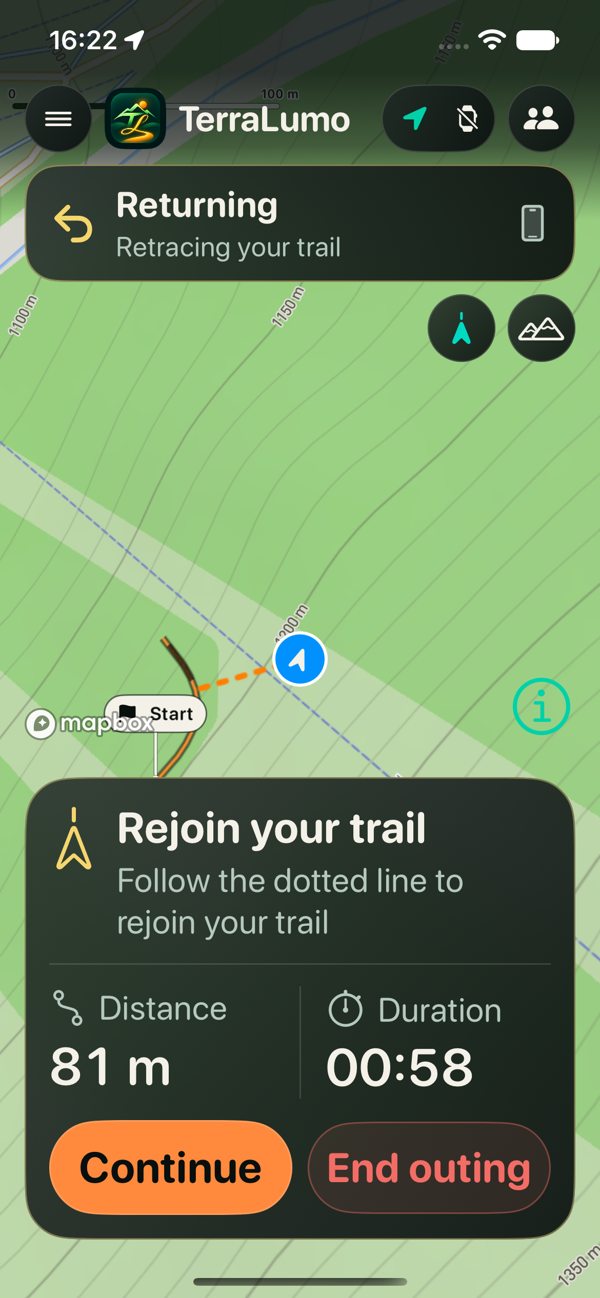
Find your way back.

Start an outing and record the path you actually take. Return follows those breadcrumbs back. Afterwards, open History to see the route again.

  • Check offline-area readiness before leaving coverage
  • Choose trail recording with or without Fitness
Return to your recorded trail on the Chamonix terrain map.
Mountain trailReturn to your recorded trail on the Chamonix terrain map.iPhone simulator · Development preview

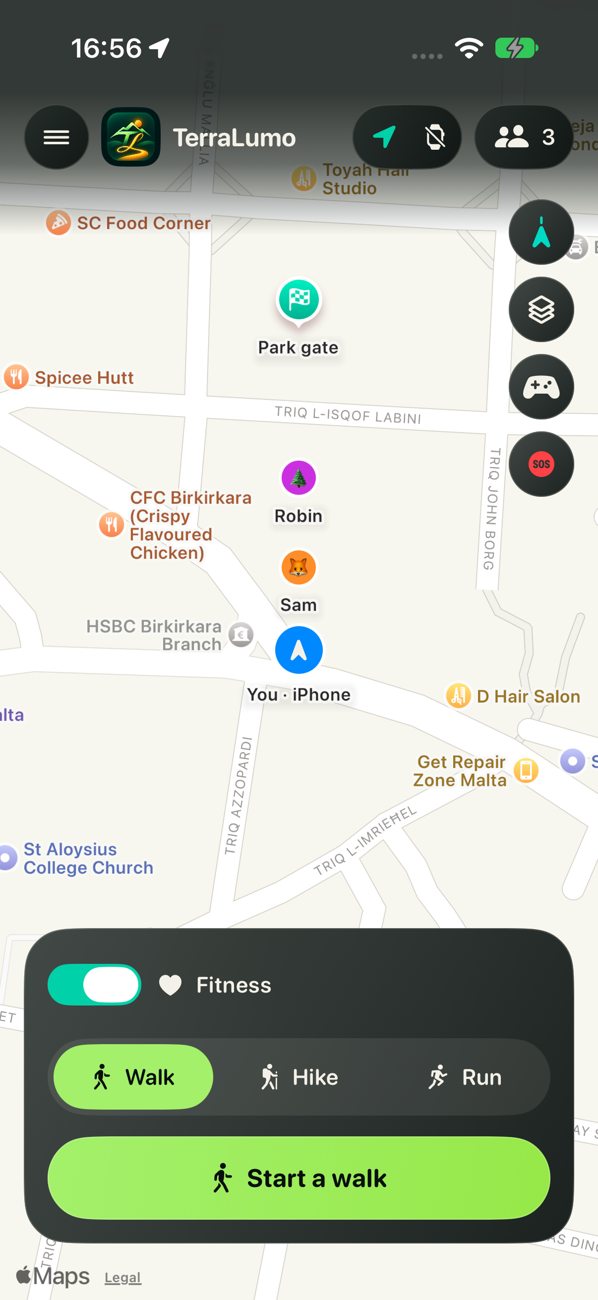
Bring your people.

Find friends and set up a small private outing. Joining starts on Private. Choose what the people in your group can see as you move.

  • Share Location only or Location + trail
  • Stop sharing when you choose
See the positions shared by people in the same outing.
Shared mapSee the positions shared by people in the same outing.iPhone simulator · Development preview

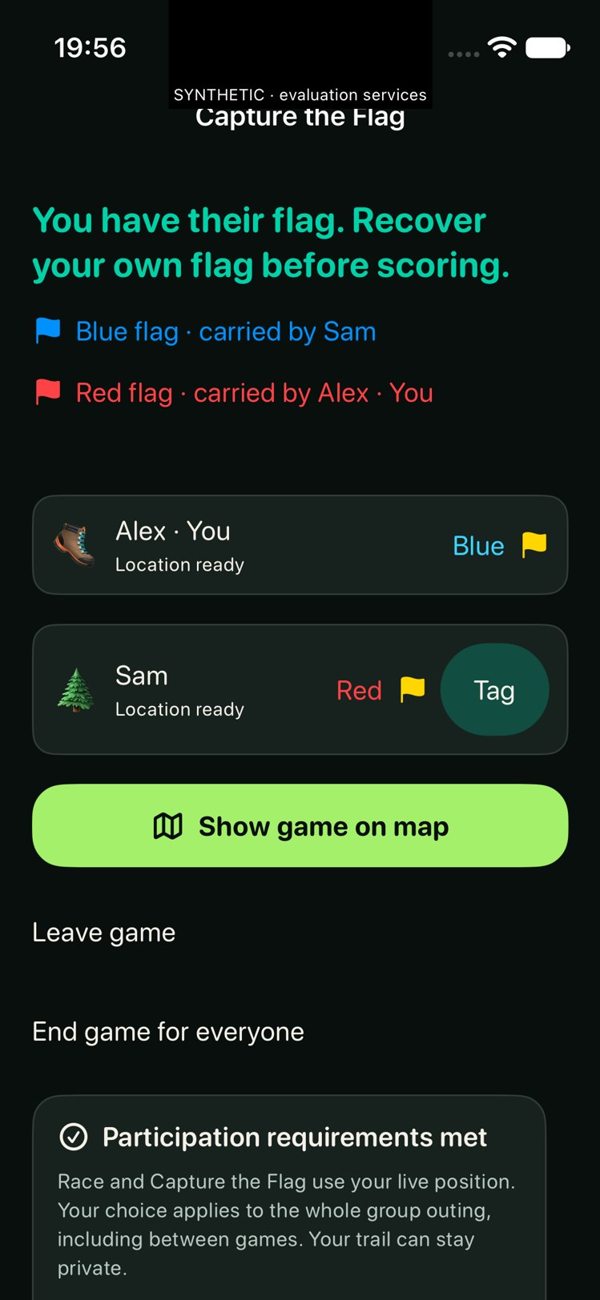
Make a game of it.

Choose Race, Tag or Capture the Flag from Play. Get a group together, pick your game and check the objective before you set off.

  • Group setup and game lobbies
  • Game-specific objectives and results
Recover your own flag before scoring with the opposing flag.
Capture the FlagRecover your own flag before scoring with the opposing flag.iPhone simulator · Development preview

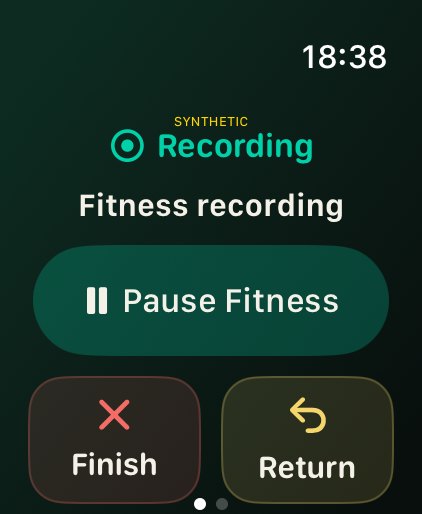
Start at your wrist.

Start a recording using the Watch’s own GPS. Choose an outing on its own or save a workout with Health permission. Outdoor pairing and offline performance are still being evaluated.

  • Recording and Fitness controls on Watch
  • Check the Watch’s own offline resources before leaving
An active outing with Fitness running and Return within reach.
RecordingAn active outing with Fitness running and Return within reach.Apple Watch simulator · Development preview

Good to know

Before you go

Can I download TerraLumo yet?

TerraLumo is in development. Public download details will appear here when a release is available.

What works without a signal?

Recording uses the device’s GPS. Check saved-area readiness before leaving coverage. Map detail depends on the area prepared on that device. Live friend updates and online games need connectivity.

Who can see my trail?

Group sharing starts on Private. Choose Location only or Location + trail for a selected group. You can stop future sharing at any time.

Does Return contact emergency services?

Return helps you follow your recorded breadcrumbs back. Group SOS is for your group. Neither sends an emergency dispatch request.